
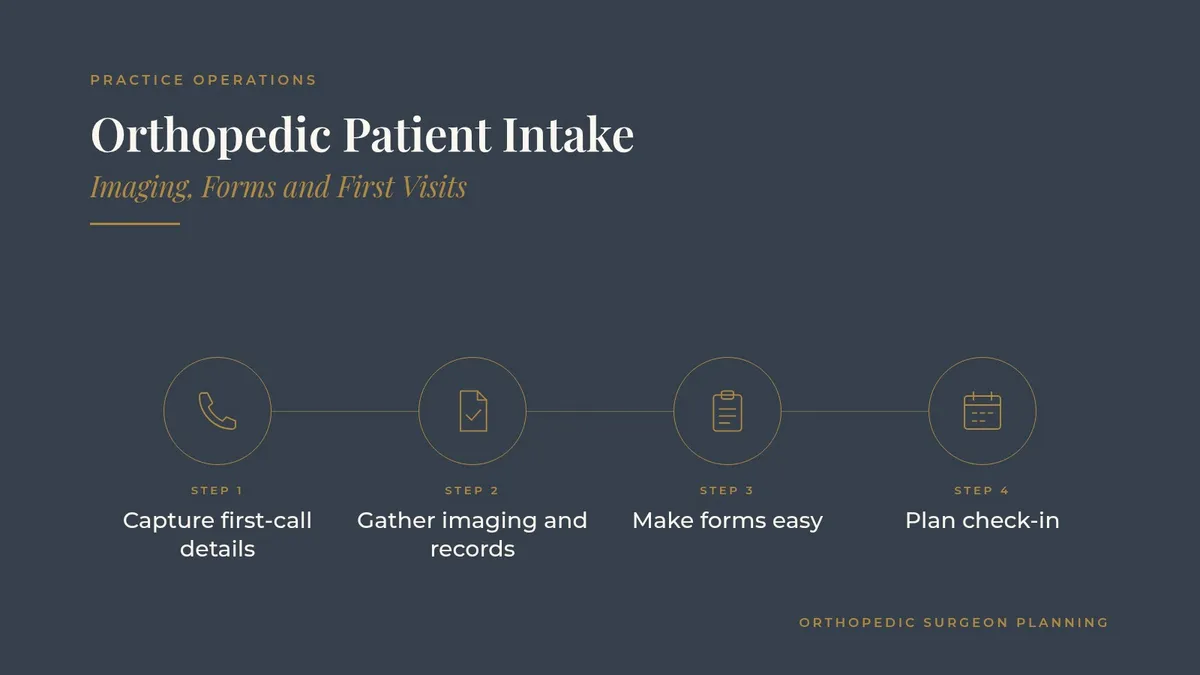
Orthopedic Patient Intake: Imaging, Forms and First Visits
Orthopedic patient intake decides how the first visit goes long before the patient reaches an exam room. A new knee patient who arrives without the MRI report, a shoulder referral that never made it into the chart, or a post-injury visit where nobody knows which X-rays were taken at urgent care: each one costs the surgeon time, frustrates the patient and pushes the rest of clinic behind schedule.
Orthopedics has its own intake challenges. Patients come from primary care physicians, physical therapists, urgent care centers, emergency rooms, athletic trainers and employers. Many bring outside imaging. Some need a same-week fracture visit, while others are planning a joint replacement months away. This guide walks through a practical orthopedic patient intake workflow your front desk and intake team can run every day.
Key takeaways
Treat intake as a process that starts at the first phone call, not at check-in.
Route new patients by body part, subspecialty and urgency so they land with the right surgeon.
Collect outside imaging, reports and referral notes before the visit, and confirm they arrived.
Keep digital forms short, mobile-friendly and specific to the visit type.
Measure intake with a few operational numbers and review them every month.
Why orthopedic patient intake deserves its own workflow
The visit depends on what arrives first
In many specialties, the physician can start fresh at the first visit. In orthopedics, decisions often hinge on imaging and prior notes. When the films, the radiology report and the referring note are ready, the surgeon can spend the visit examining and talking with the patient instead of hunting for information.
Many doors lead to the same clinic
A sports medicine patient may come through an athletic trainer, a hand patient through an emergency room follow-up and a spine patient after months of conservative care with another physician. Each source sends information in a different way. A single intake workflow brings those streams into one predictable process.
Step 1: Capture the right details on the first call
A short, consistent call script
Give schedulers a simple script for every new patient call. The basics:
Which body part and side, and when the problem started
Whether it followed an injury, a fall or a sports event
Who referred the patient, if anyone, and their contact details
Whether imaging was done, where and when
Coverage or employer details needed to schedule
Route by body part and urgency
Orthopedic groups work best when new patients are booked with the right subspecialist from the start. A routing grid at the front desk helps: knee and hip to joint replacement or sports medicine, hand and wrist to the hand surgeon, back and neck to the spine team. Add a clear rule for acute injuries, such as suspected fractures, so those patients are offered the earliest appropriate slot. Each surgeon can decide what belongs on their schedule, and the grid should reflect those preferences.
Note the referral source
Ask every new patient how they found the practice and record it in the same field every time. This one habit feeds both your referral relationships and your marketing decisions. Our article on where orthopedic patients actually come from explains how to use that data.
Step 2: Gather imaging and records before the visit
Make outside imaging a checklist item
Outside imaging is the most common intake gap in orthopedics. Build a short checklist for every new patient who reports prior imaging:
Identify the facility and the date of the study.
Request both the images and the radiology report.
Confirm the files were received and can be opened.
Attach them to the chart and flag the visit as ready.
Many practices now receive images through an image-sharing platform instead of discs, which saves time when it works well. If patients still bring discs, have a clear routine for loading them before the visit starts, not during it.
Request referral notes and prior treatment history
For patients referred after physical therapy or a primary care workup, ask for the most recent note and a summary of treatment so far. Surgeons often want to know what has already been tried, such as therapy, bracing or injections. Having that history ready keeps the first conversation focused.
Set a readiness check
Two or three business days before each new patient visit, a staff member reviews the chart: imaging received, report attached, referral note in place, forms complete. Anything missing gets a call that same day. This simple review catches most problems while there is still time to fix them.
Step 3: Make digital forms easy to finish
Keep forms specific to the visit
A patient coming in for a sprained ankle does not need the same packet as a patient preparing for a joint replacement consultation. Build a core form for every new patient and add short modules by body part or visit type, such as a function questionnaire the surgeon prefers for knees or shoulders.
Design for phones
Most patients will open the intake link on a phone. Keep questions short, allow photo uploads of insurance cards and photo IDs, and let patients save progress and return later. Send the link soon after booking and remind patients a few days before the visit.
Keep messages simple
Reminder texts and emails should include the date, time, location, what to bring and a link to the forms. Leave diagnoses and procedure details out of reminders. Patients who prefer paper should still have a simple option at check-in.
Step 4: Plan check-in around orthopedic realities
Imaging on arrival
Many orthopedic visits start with X-rays in the office. Coordinate the schedule so imaging staff know which new patients need films before seeing the surgeon, and add buffer time for those patients. A clear arrival time that accounts for imaging keeps the clinic flowing.
Mobility and comfort
Patients may arrive on crutches, in a sling or in a wheelchair. Front desk staff can ask about mobility during the first call and plan accordingly: a wheelchair at the door, a closer parking spot or a seat near the check-in window.
Step 5: Use technology that connects the steps
Practice systems that talk to each other
Your EHR, practice management system, patient messaging platform and phone system should share information instead of creating duplicate work. Look for online intake that writes directly into the chart, reminder tools with two-way texting, and reports you can filter by visit type and location.
Phones and call routing
New patient calls should reach a trained scheduler quickly. A phone system with clear menu options for new patients, existing patients and referring offices keeps calls moving. An independent IT or VoIP professional can review whether your current phone setup routes calls the way your intake process needs.
Measure intake and keep improving
A short list of operational numbers
You do not need a complex dashboard. Track a few numbers monthly:
Percentage of new patient visits marked ready two days ahead
Percentage of visits where outside imaging was available at the visit
Days from first call to first appointment, by subspecialty
Digital form completion before arrival
New patient visits rescheduled because information was missing
Review with the people who do the work
Share the numbers with schedulers, intake staff, medical assistants and the practice administrator. They usually know where the friction is. Ask the team to pick one change to test each month, then review the result together at the next meeting.
Connect intake to your website
Your website is often the first step of intake. Clear new patient pages, an online appointment request and a list of what to bring all reduce phone volume. Our guide to orthopedic website design by body part and condition shows how to organize those pages.
Frequently asked questions
What is orthopedic patient intake?
It is the process of collecting a new patient's information, referral details, outside imaging and forms from the first phone call through check-in, so the surgeon has what they need at the first visit.
How far ahead should outside imaging be requested?
As soon as the visit is booked. A readiness check two or three business days before the appointment gives staff time to follow up on anything still missing.
Should orthopedic practices use digital intake forms?
Most practices benefit from mobile-friendly digital forms that write into the chart, with a simple paper option for patients who prefer it.
Who should own the intake process?
Many groups assign a lead intake coordinator or team, with the practice administrator reviewing monthly numbers and each surgeon setting their own scheduling preferences.
How can a practice reduce rescheduled new patient visits?
Route patients to the right subspecialist on the first call, gather imaging and notes early, run a readiness check before each visit and track the reasons visits get moved.
Request an introduction
Orthopedic Surgeon Planning can introduce you to independent practice operations, IT and phone system professionals who work with orthopedic practices. Take the short Ortho Business survey and request an introduction. Call or text (972) 616-4581, or contact us about practice operations introductions for your orthopedic group. The form goes to [email protected].
This article is general information about practice operations. Orthopedic Surgeon Planning is an introduction service connecting physicians with independent professionals. Please read our disclaimer.